> ## Documentation Index
> Fetch the complete documentation index at: https://docs.generalreferral.com/llms.txt
> Use this file to discover all available pages before exploring further.
# How to Sign Up
> Join General Referral in as little as 5 minutes with our 100% online signup process
## Quick Start
Joining General Referral takes as little as **5 minutes** and can be completed 100% online.
Click here to begin the signup process
## What Happens After Signup?
Once you complete checkout, you'll see a detailed list of required next steps based on your specific situation. Here's what to expect:
**If You Have an Existing, Active License:**
After signing up with General Referral, you will need to:
1. Contact your current broker
2. Request they release your license to the state
3. Wait for confirmation (usually 1-2 business days)
Your current broker must release your license before we can sponsor you.
**If You Recently Passed Your Exam:**
You'll need to ensure you've met all state requirements:
* Complete fingerprinting (if not already done)
* Upload your required documents — a **government-issued photo ID** and a **copy of your exam pass notice** — directly to General Referral (no emailing required)
* We'll handle the state application on your behalf
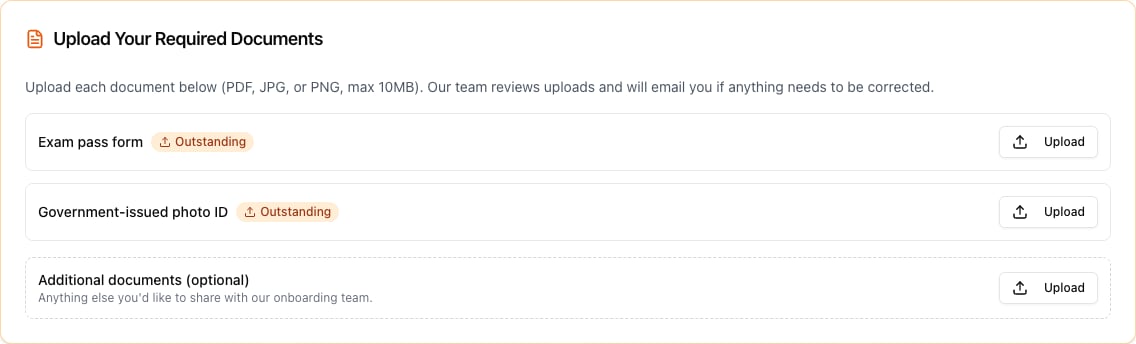
**Upload right on the success page.** As soon as you create your account after checkout, the upload tool appears on the signup success page. Upload a PDF, JPG, or PNG (max 10MB) for each document:
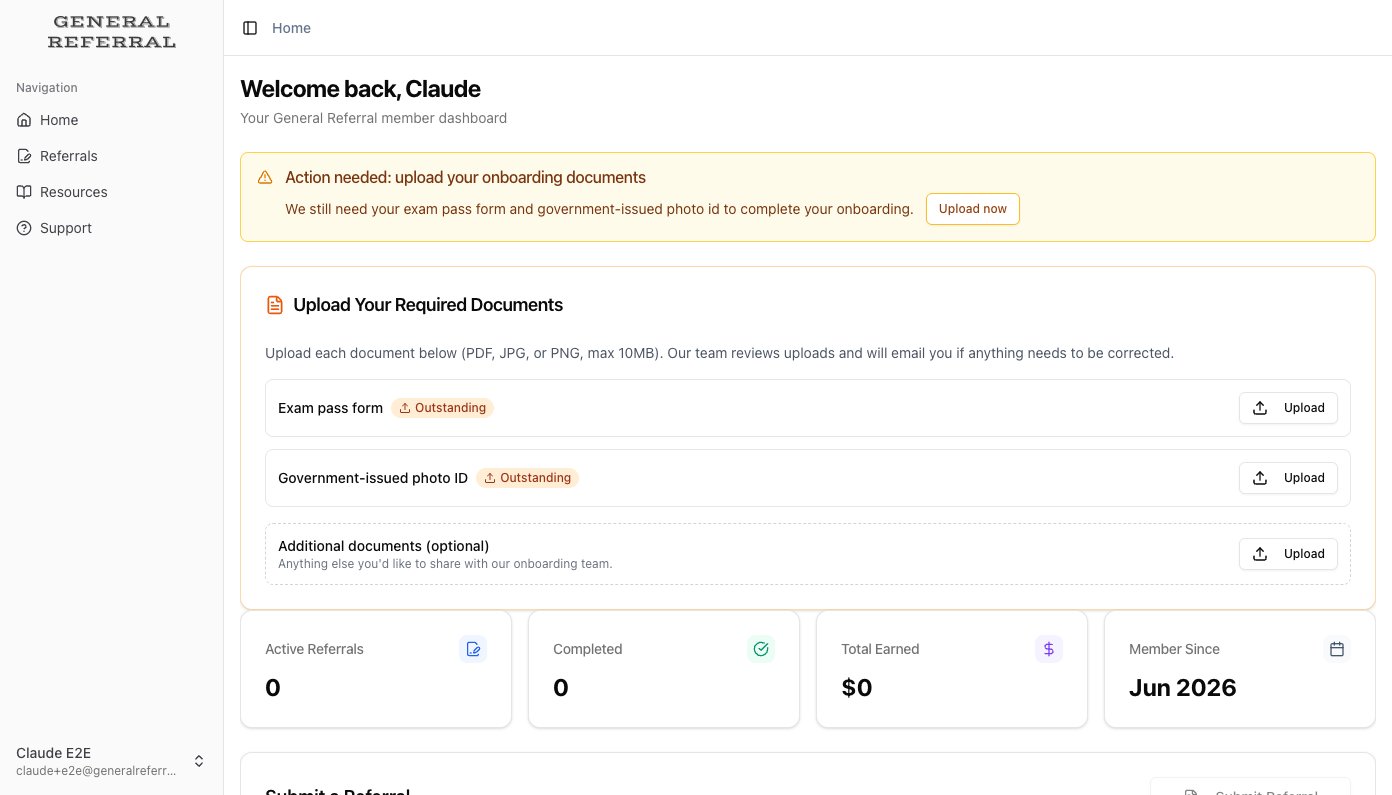
**Or upload anytime from your dashboard.** Not ready at checkout? Sign in later at [app.generalreferral.com/dashboard](https://app.generalreferral.com/dashboard) — while documents are still needed, an **Action needed** banner and the same upload card wait for you right on your dashboard, and disappear once everything is approved:
Check out our guide on [requirements after passing your exam](/knowledge-base/getting-started/requirements-after-exam) for detailed information.
**If Your License is Currently Inactive:**
Good news! No further action regarding your previous broker is needed. After signing up:
* We'll reactivate your license with the state
* You'll receive confirmation once complete
* Start making referrals immediately after activation
## Step-by-Step Process
Go to [https://app.generalreferral.com/join](https://app.generalreferral.com/join)
Provide your personal details and license information
Select between our flexible membership options
See your total cost and complete payment
Receive personalized instructions based on your license status
## Important Reminders
Don't worry about memorizing these steps now. The platform will provide personalized instructions after you complete the checkout process.
## Frequently Asked Questions
The online signup typically takes 5-10 minutes. License transfer timing depends on your current broker and state processing, usually 1-3 business days.
We accept all major credit cards, debit cards, and ACH/bank transfers. For urgent license transfers, we recommend using a credit or debit card.
Yes! Just complete our signup process, then request your current broker to release your license. We'll handle the rest once it's released.
[Contact our support team](https://app.generalreferral.com/dashboard/support) for assistance. We're here to help make your transition smooth.
## Ready to Join?
Still trying to figure out if a New Jersey real estate license is right for you? Check out our guide on [becoming a NJ referral agent](https://www.generalreferral.com/how-to-become-a-nj-referral-agent).
Begin your journey today
Compare membership options
 **Or upload anytime from your dashboard.** Not ready at checkout? Sign in later at [app.generalreferral.com/dashboard](https://app.generalreferral.com/dashboard) — while documents are still needed, an **Action needed** banner and the same upload card wait for you right on your dashboard, and disappear once everything is approved: