> ## Documentation Index
> Fetch the complete documentation index at: https://docs.generalreferral.com/llms.txt
> Use this file to discover all available pages before exploring further.
# Delegated Referrals
When one of your agents has a client but wants you to choose who receives the
referral, they can **delegate it to you**. Those referrals land in your
**Referrals** page.
 **How it works:**
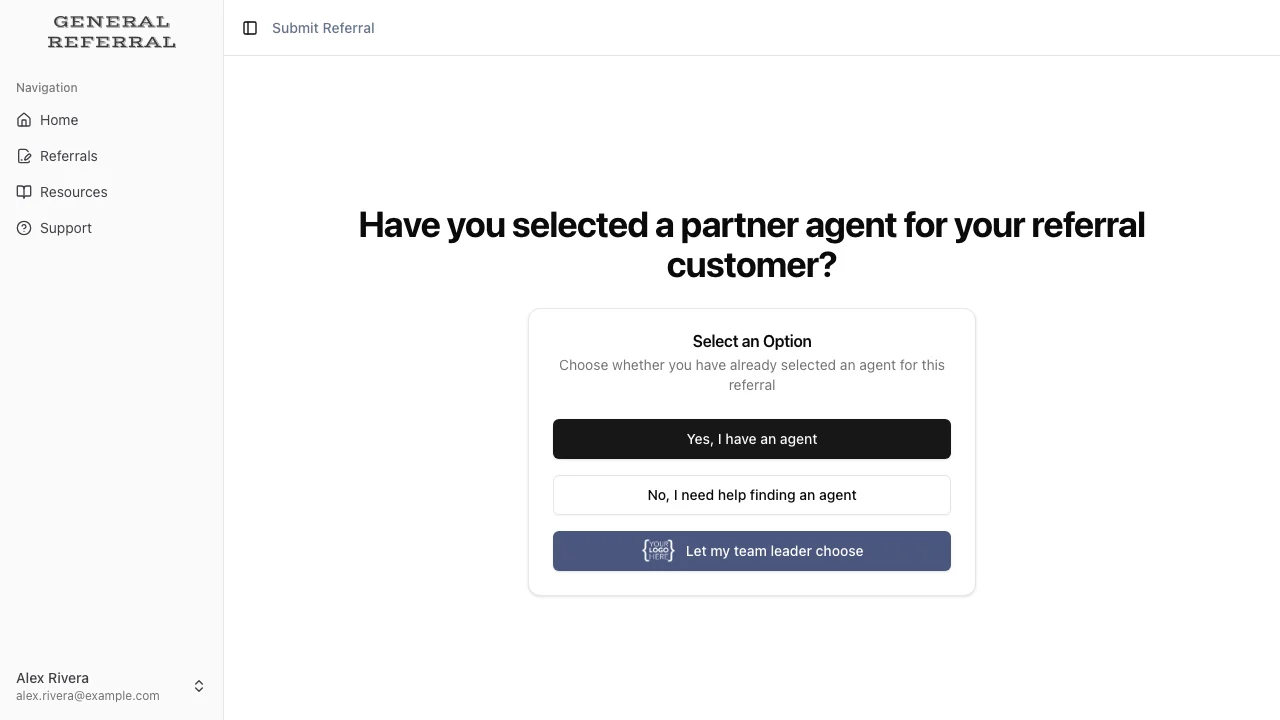
1. Your agent starts a referral and picks **"Let my team leader choose."** They
enter the client (up to two, e.g. a couple — more go in the notes), what the
client needs, and the **agreement terms**, which are pre-filled with the
standard 25% referral fee, 24-month duration, and 10-day payment due. No
receiving agent.
**How it works:**
1. Your agent starts a referral and picks **"Let my team leader choose."** They
enter the client (up to two, e.g. a couple — more go in the notes), what the
client needs, and the **agreement terms**, which are pre-filled with the
standard 25% referral fee, 24-month duration, and 10-day payment due. No
receiving agent.
 2. You're notified right away (in-app and email — this alert is always on).
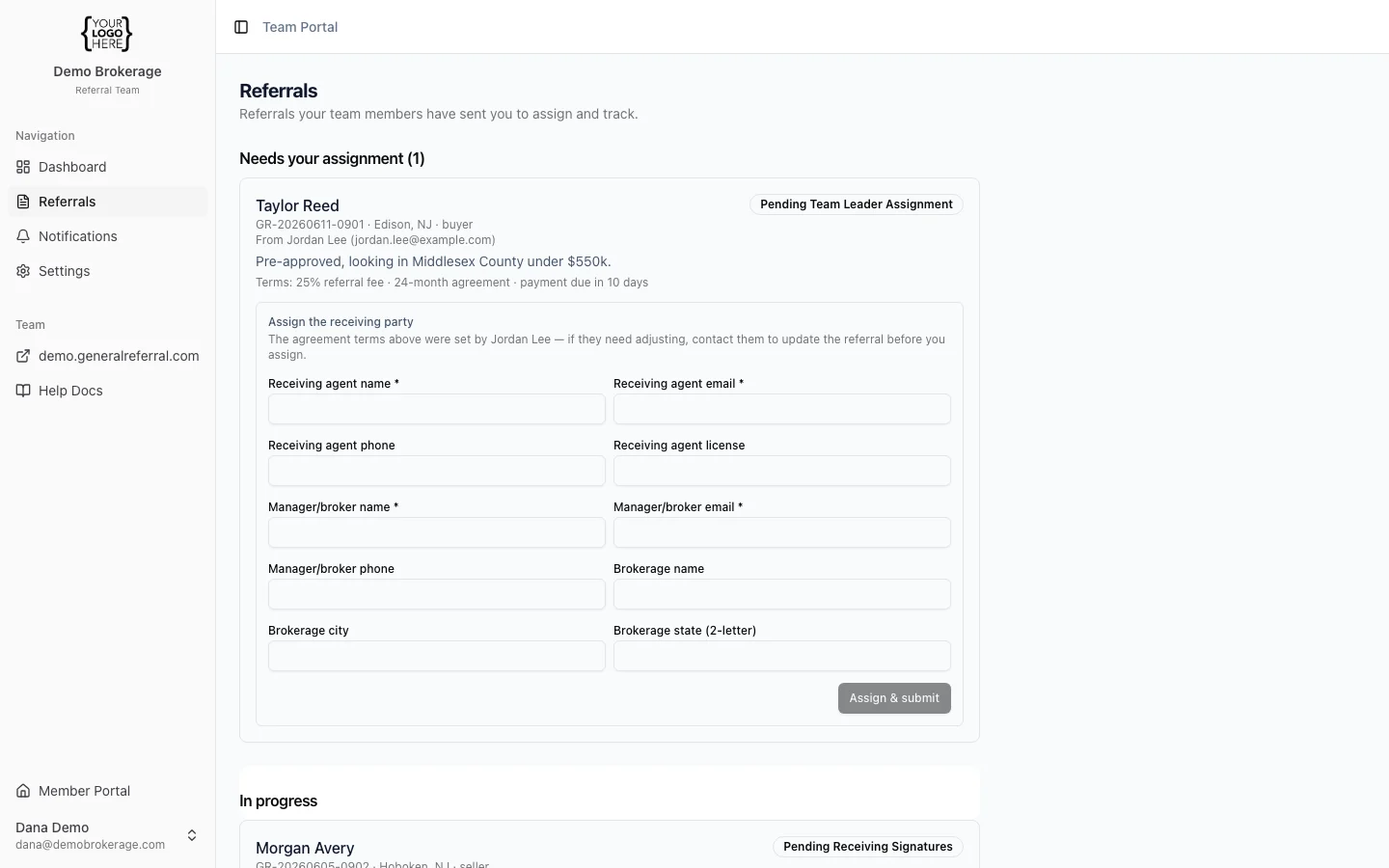
3. You open **Referrals → Needs your assignment** and review the client details
and the terms your agent set. The terms belong to the agent — if you'd like
different ones, contact the agent; they can update the terms right up until
you assign the referral.
4. Fill in the **receiving agent and manager/broker**. You can name yourself in
either or both roles.
2. You're notified right away (in-app and email — this alert is always on).
3. You open **Referrals → Needs your assignment** and review the client details
and the terms your agent set. The terms belong to the agent — if you'd like
different ones, contact the agent; they can update the terms right up until
you assign the referral.
4. Fill in the **receiving agent and manager/broker**. You can name yourself in
either or both roles.
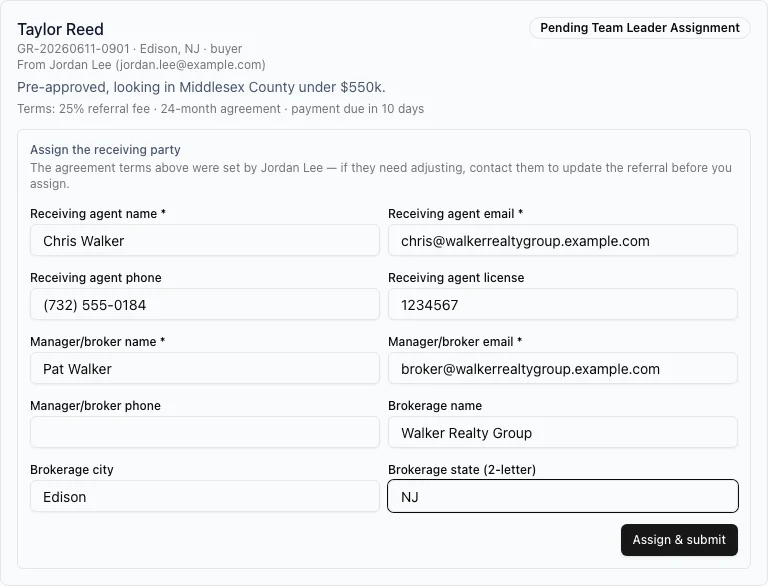 5. Once you assign it, the referral enters General Referral's normal review and
signing flow — and your agent is notified it's moving.
**Tracking it:**
* **Needs your assignment** — waiting on you.
* **In progress** — assigned and moving through signatures (you can see who has and
hasn't signed).
* **Completed / closed** — finished.
**Note:** You'll only see referrals that were *delegated to you* here — not every
referral your members create. If you have questions about a client, contact the
referring agent directly.
**Turning it off:** If you'd rather not receive delegated referrals, toggle
**Accept delegated referrals** off in **Settings**. The "Let my team leader
choose" option disappears for your members; anything already in your queue stays
there for you to finish.
5. Once you assign it, the referral enters General Referral's normal review and
signing flow — and your agent is notified it's moving.
**Tracking it:**
* **Needs your assignment** — waiting on you.
* **In progress** — assigned and moving through signatures (you can see who has and
hasn't signed).
* **Completed / closed** — finished.
**Note:** You'll only see referrals that were *delegated to you* here — not every
referral your members create. If you have questions about a client, contact the
referring agent directly.
**Turning it off:** If you'd rather not receive delegated referrals, toggle
**Accept delegated referrals** off in **Settings**. The "Let my team leader
choose" option disappears for your members; anything already in your queue stays
there for you to finish.