> ## Documentation Index
> Fetch the complete documentation index at: https://docs.generalreferral.com/llms.txt
> Use this file to discover all available pages before exploring further.
# Your Team Roster
The Roster lists every agent on your team and how they're doing. Open it from the
team portal.
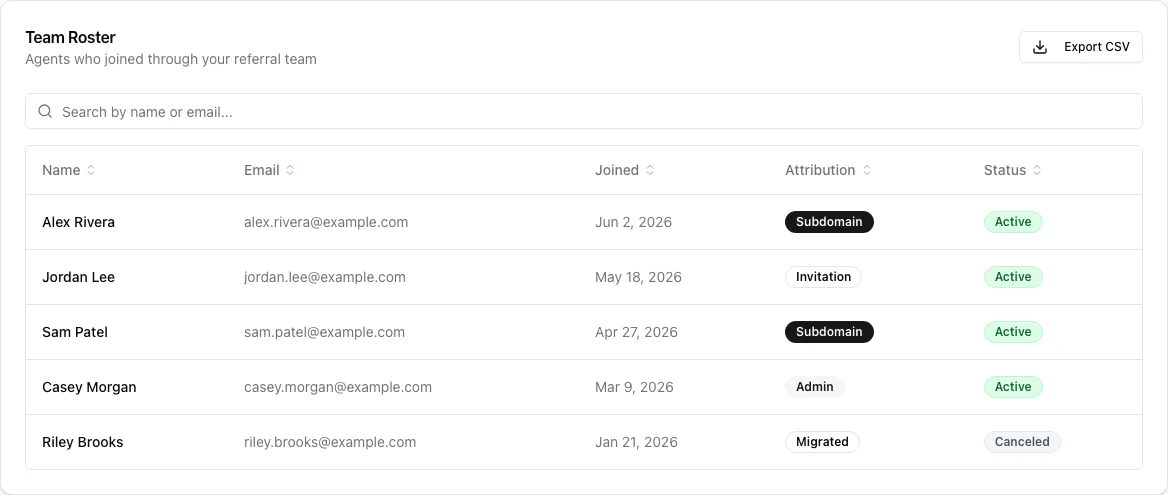 **Each agent shows:**
* **Name** and **Email**
* **Joined** date
* **Attribution** — how they joined your team (e.g. Subdomain, Invitation,
Admin, Migrated)
* **Status** — **Active** or **Canceled** (whether their General Referral
subscription is current)
**What you can do:**
* **Sort** any column by clicking its header (click again to reverse).
* **Search** by name or email to quickly find someone.
* **Export CSV** to download the full roster for your own records.
**Good to know:**
* The Roster shows membership and subscription status only — not your members'
individual commissions or private billing details.
* A **Canceled** status means that agent's subscription has lapsed; they may need
a nudge to re-enroll.
**Each agent shows:**
* **Name** and **Email**
* **Joined** date
* **Attribution** — how they joined your team (e.g. Subdomain, Invitation,
Admin, Migrated)
* **Status** — **Active** or **Canceled** (whether their General Referral
subscription is current)
**What you can do:**
* **Sort** any column by clicking its header (click again to reverse).
* **Search** by name or email to quickly find someone.
* **Export CSV** to download the full roster for your own records.
**Good to know:**
* The Roster shows membership and subscription status only — not your members'
individual commissions or private billing details.
* A **Canceled** status means that agent's subscription has lapsed; they may need
a nudge to re-enroll.