> ## Documentation Index
> Fetch the complete documentation index at: https://docs.generalreferral.com/llms.txt
> Use this file to discover all available pages before exploring further.
# Access Your Referrals
> How agents who receive referrals from General Referral can sign in with just their email to set specialties and track their referrals
If a General Referral member has referred a client to you, you can use our free **Partner Page** to tell us what you specialize in and keep track of every referral we've sent you. There's no account to create and nothing to install — you sign in with the email address where you receive our referral agreements.
 ## Sign in with your email
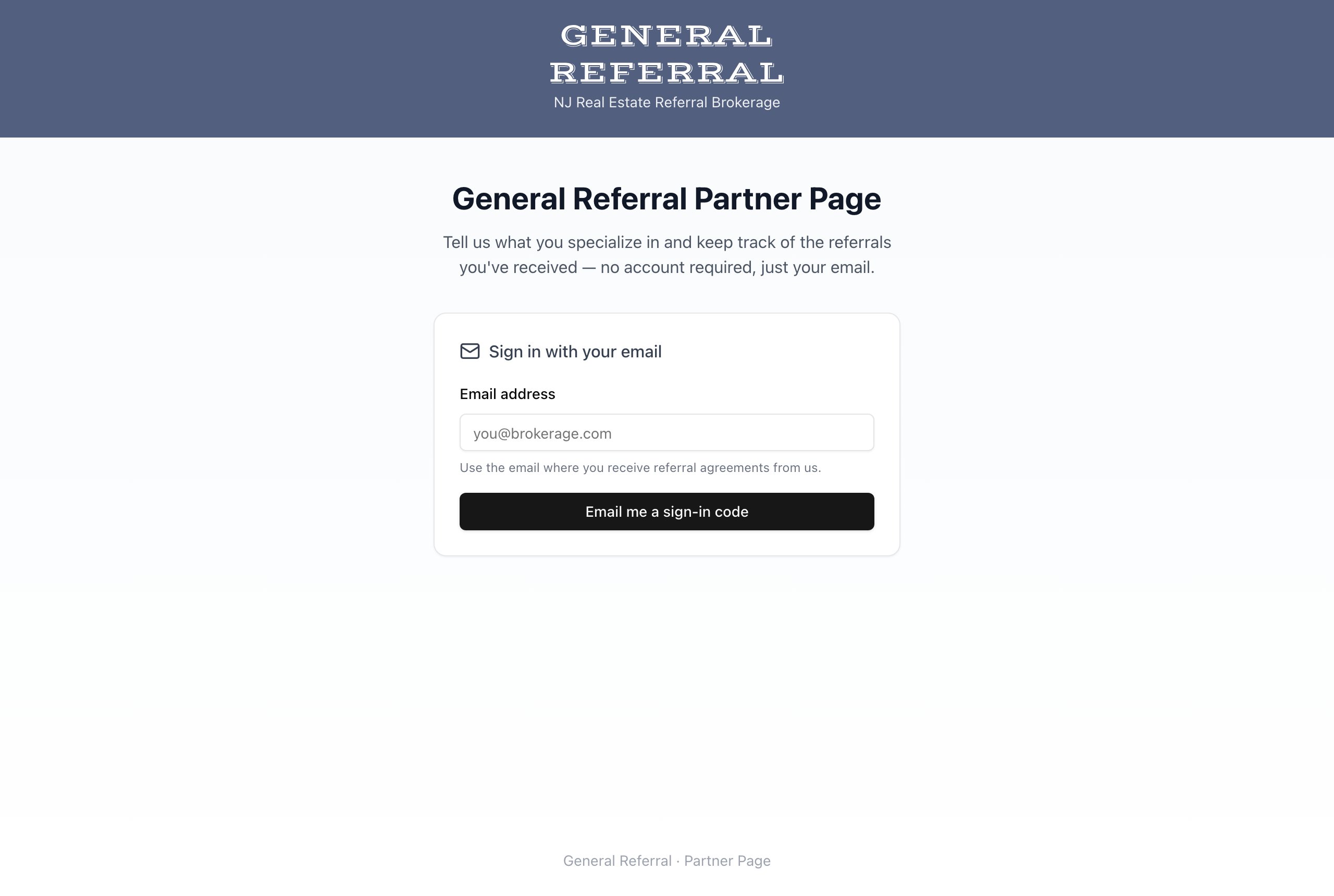
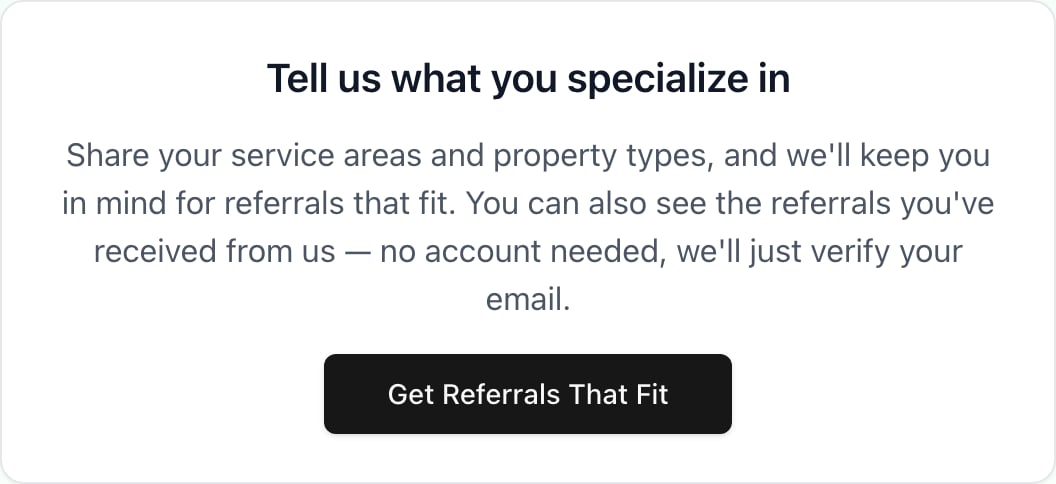
1. Go to [app.generalreferral.com/partner](https://app.generalreferral.com/partner). If you just signed a referral agreement, you can also click **Get Referrals That Fit** on the thank-you page:
## Sign in with your email
1. Go to [app.generalreferral.com/partner](https://app.generalreferral.com/partner). If you just signed a referral agreement, you can also click **Get Referrals That Fit** on the thank-you page:
 2. Enter the email address where you receive referral agreements from us, then select **Email me a sign-in code**.
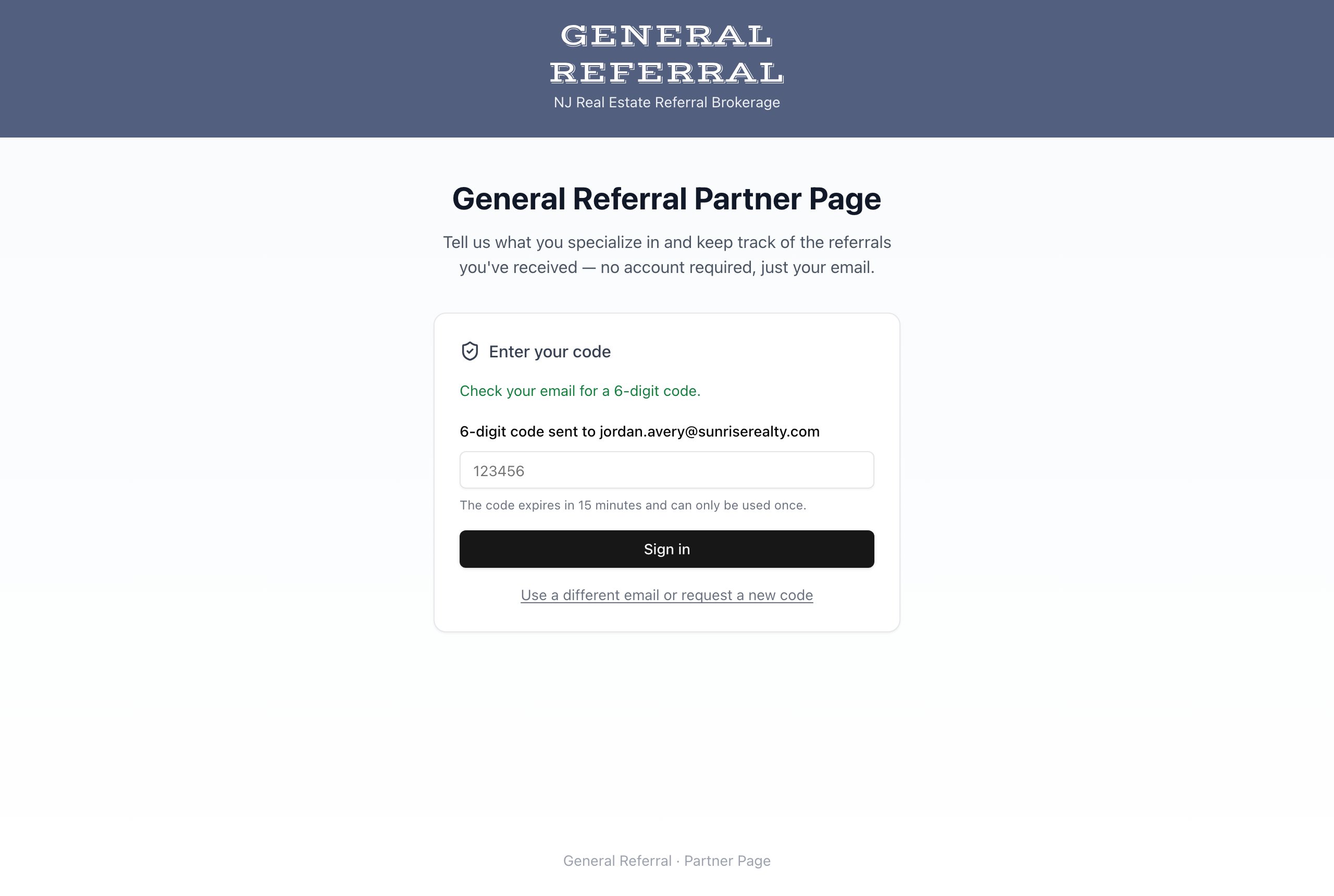
3. Check your inbox for a 6-digit code and enter it. The code expires in 15 minutes and can only be used once — if it expires, just request a new one.
2. Enter the email address where you receive referral agreements from us, then select **Email me a sign-in code**.
3. Check your inbox for a 6-digit code and enter it. The code expires in 15 minutes and can only be used once — if it expires, just request a new one.
 Use the same email address where our referral agreements arrive. Signing in with a different address won't show your referrals.
## Tell us what you specialize in
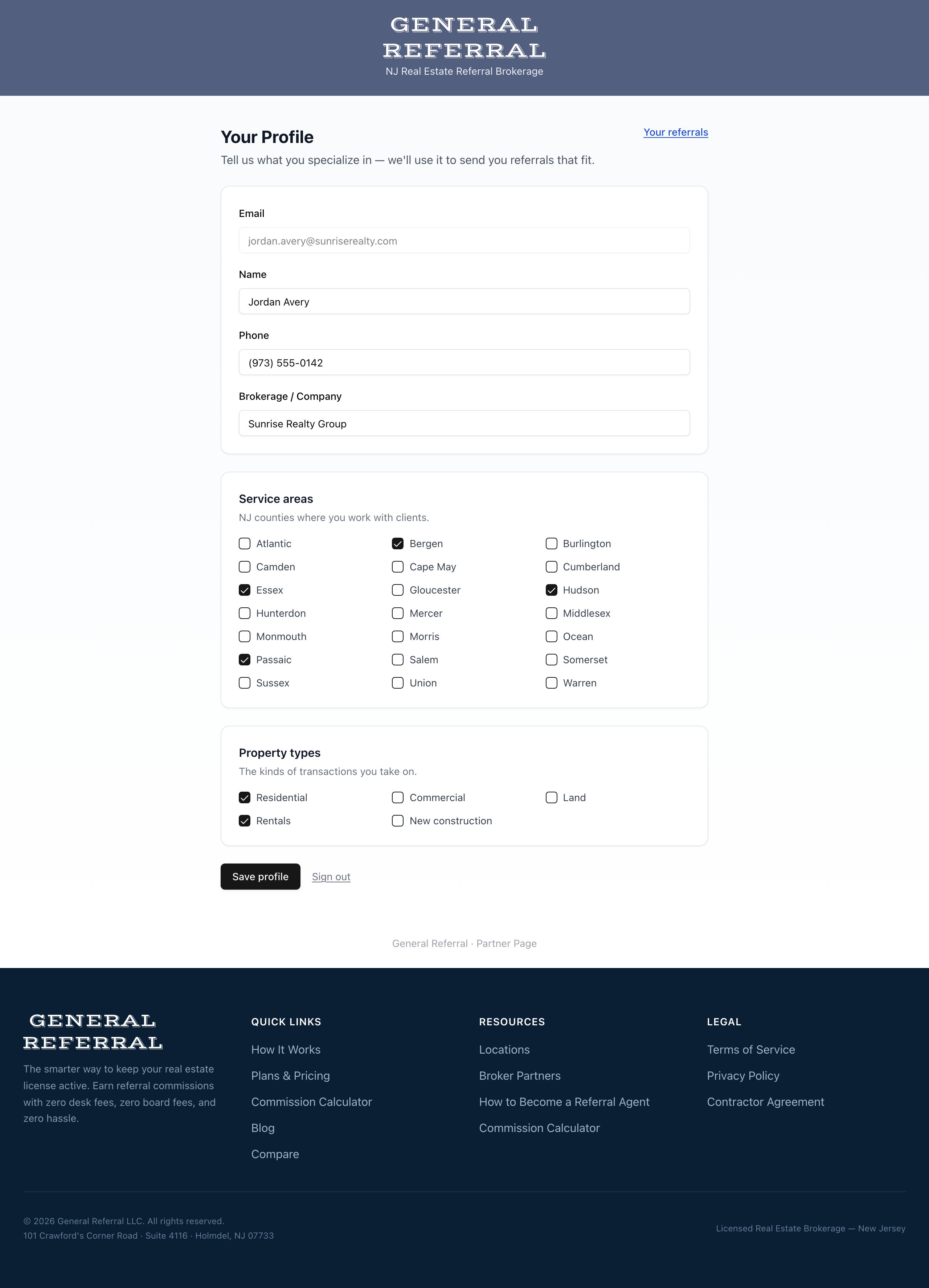
Once you're signed in, fill out your profile: your name, phone, company, the New Jersey counties you serve, and the property types you work with. When our members have a client that fits your specialties, this is how we keep you in mind.
Use the same email address where our referral agreements arrive. Signing in with a different address won't show your referrals.
## Tell us what you specialize in
Once you're signed in, fill out your profile: your name, phone, company, the New Jersey counties you serve, and the property types you work with. When our members have a client that fits your specialties, this is how we keep you in mind.
 ## Track the referrals you've received
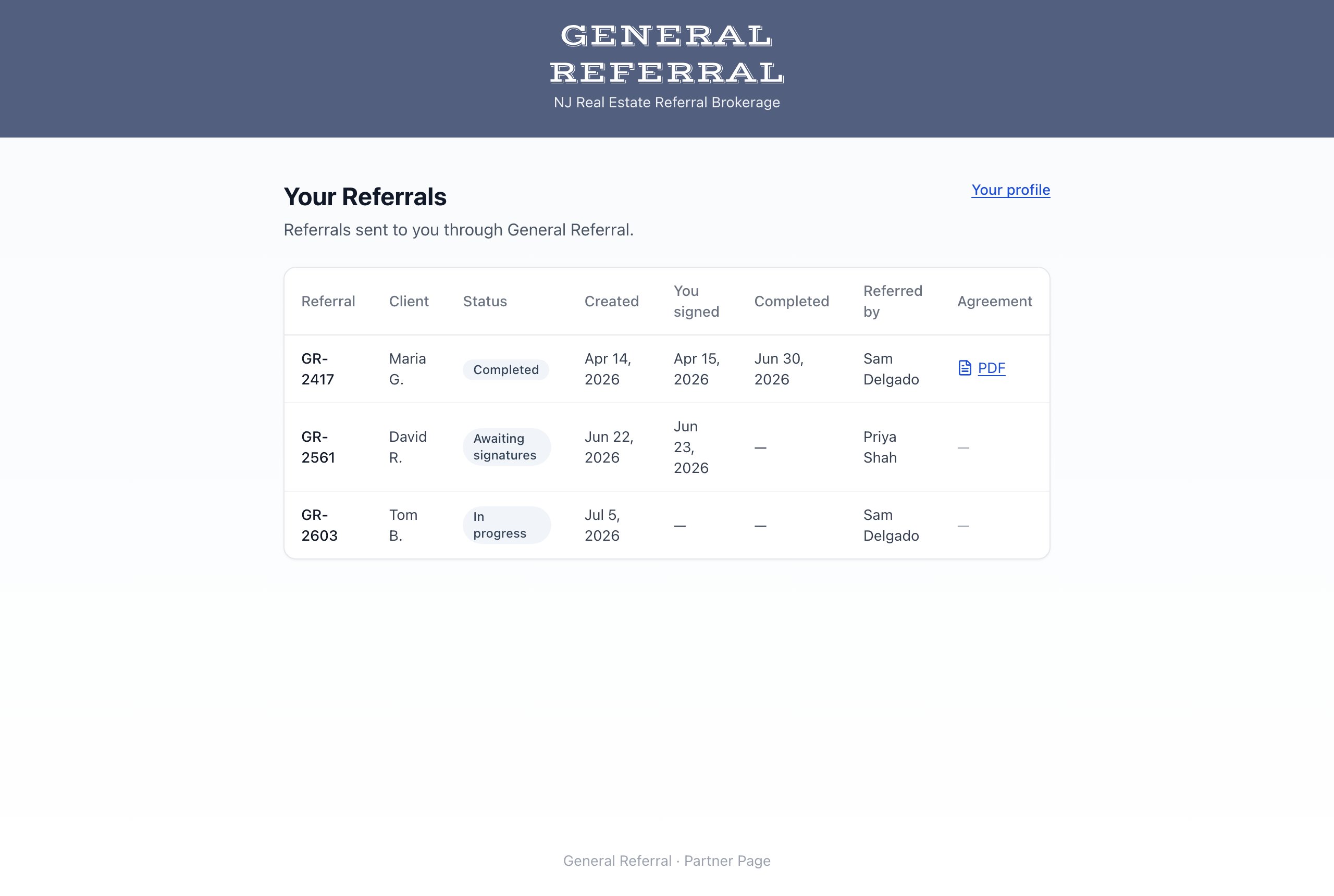
The **Your Referrals** page lists every referral sent to you through General Referral — the referral number, client, current status, key dates, and the member who referred the client. For completed referrals, you can download the fully executed agreement.
## Track the referrals you've received
The **Your Referrals** page lists every referral sent to you through General Referral — the referral number, client, current status, key dates, and the member who referred the client. For completed referrals, you can download the fully executed agreement.
 Statuses you'll see:
| Status | What it means |
| ------------------------------ | ------------------------------------------------------------------------- |
| In progress | The referral is being prepared or reviewed |
| Awaiting signatures | The agreement is out for signatures |
| Completed | Everyone has signed — you'll also receive the executed agreement by email |
| Declined / Expired / Cancelled | The agreement didn't go through |
## Questions?
If you don't see a referral you expected, or you receive agreements at more than one email address, [contact us](https://www.generalreferral.com/#contact) and we'll straighten it out.
Statuses you'll see:
| Status | What it means |
| ------------------------------ | ------------------------------------------------------------------------- |
| In progress | The referral is being prepared or reviewed |
| Awaiting signatures | The agreement is out for signatures |
| Completed | Everyone has signed — you'll also receive the executed agreement by email |
| Declined / Expired / Cancelled | The agreement didn't go through |
## Questions?
If you don't see a referral you expected, or you receive agreements at more than one email address, [contact us](https://www.generalreferral.com/#contact) and we'll straighten it out.