

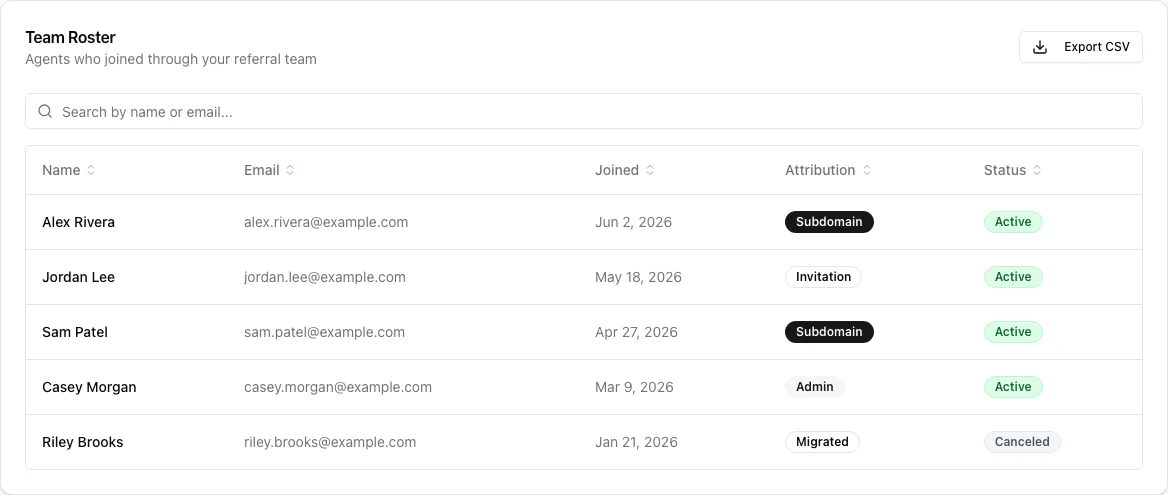
- Name and Email
- Joined date
- Attribution — how they joined your team (e.g. Subdomain, Invitation, Admin, Migrated)
- Status — Active or Canceled (whether their General Referral subscription is current)
- Sort any column by clicking its header (click again to reverse).
- Search by name or email to quickly find someone.
- Export CSV to download the full roster for your own records.
- The Roster shows membership and subscription status only — not your members’ individual commissions or private billing details.
- A Canceled status means that agent’s subscription has lapsed; they may need a nudge to re-enroll.